Personalised leather engraving does not always mean lettering directly on the leather. On eligible headcollars and dog collars, the text may be engraved on a metal plate. The surface determines the available character limits and fonts. Before ordering, check the name, accents and displayed result carefully.
What Smart Wag engraving adds to a headcollar or dog collar
A name helps distinguish your equipment from similar pieces. An engraved plate can identify your horse, dog or yard. On a dog collar, a telephone number also provides useful contact information. Getting it right matters more than adding a long decorative message.
Engraving is free on eligible customisable items, subject to the options on their product pages. This does not mean every catalogue item can be engraved. The available surface depends on the model you select. Visit the personalisation page to explore the relevant product families and options.
For an engraved leather headcollar, distinguish three elements: the leather, the plate and the visible stitching. Topstitching is a seam, not an engraving surface. Thread colour therefore determines neither the font nor the contrast of the letters. Lettering directly on leather is a separate option.
The Wippet collar offers personalisation through the options available on its product page. Do not assume a headcollar plate and a dog collar offer identical choices. Their dimensions, line counts and permitted options differ.
Still choosing your equipment? The guide to choosing a leather headcollar compares construction and intended uses first. Return to your engraving text afterwards. This helps you choose the right model before considering its nameplate.
How many characters fit on a plate or headpiece?
The table shows Smart Wag configurator limits checked on 30 August 2026. Spaces and punctuation also count towards the limit. A maximum capacity is not a recommended text length. A shorter name often makes the engraving easier to read.
| Product and surface | Lines | Characters per line | Available fonts |
|---|---|---|---|
| Soul and Soul PRO — headcollar plate | 1 | 26 | Straight font or English script |
| Headcollar plate sold separately | 1 | 26 | Straight font or English script |
| Bridle plate sold separately | 1 | 20 without a motif; 12 with a motif | Straight font or English script |
| Wippet — dog collar | 2 | 25 | Straight font only |
| Dog collar plate sold separately | 2 | 25 | Straight font only |
| Smooth Leather Wallet — leather | 1 | 18 | Straight font or English script |
| Anatomical and Exclusif headpieces sold separately | — | No engraving offered in their current configuration | — |
The search term “horse headcollar nameplate” covers several products. Always check the exact product page, particularly when buying a plate separately. The table does not apply the bridle plate limit to every piece of headwear. The options displayed when ordering remain the reference.
No character limit is listed for these headpieces because their current configuration does not offer engraving. Do not apply the wallet's 18-character allowance to a headpiece. First ask whether your particular request is possible.
Not every plate supports a second line. On Wippet, each line accepts up to 25 characters and uses the straight font. Prepare the name and telephone number separately. Shorten any text that exceeds the limit before confirming, without removing essential information.
Accents and special characters deserve a visual check. Enter “Éclipse” with its accent if that is the intended spelling. Check apostrophes, hyphens and additional symbols too. Ask for confirmation before ordering an unusual symbol.
Which font suits your chosen style?
Compatible profiles include two fonts: straight and English script. Availability depends on the product, not only your preference. The dog plates listed here offer the straight font only. A font shown in an older photograph may not be available today.
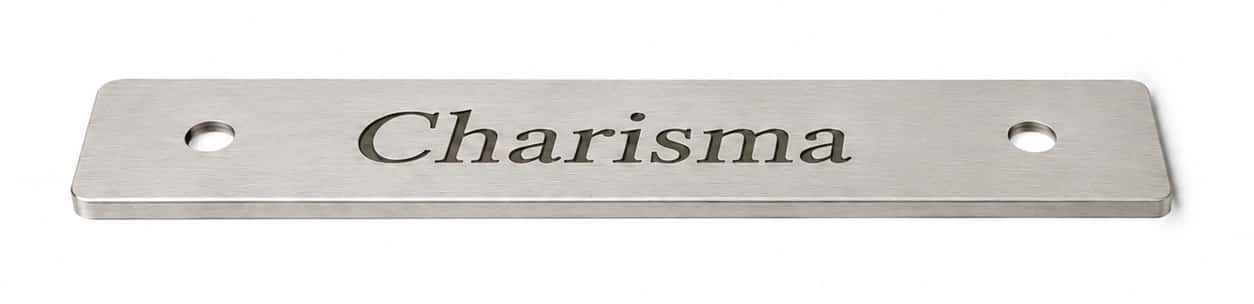
The option called straight font corresponds to Linux Libertine Slanted in the preview. Its letters have serifs and a slant. It is therefore not a sans-serif block font. Look at the actual letter shapes before choosing.
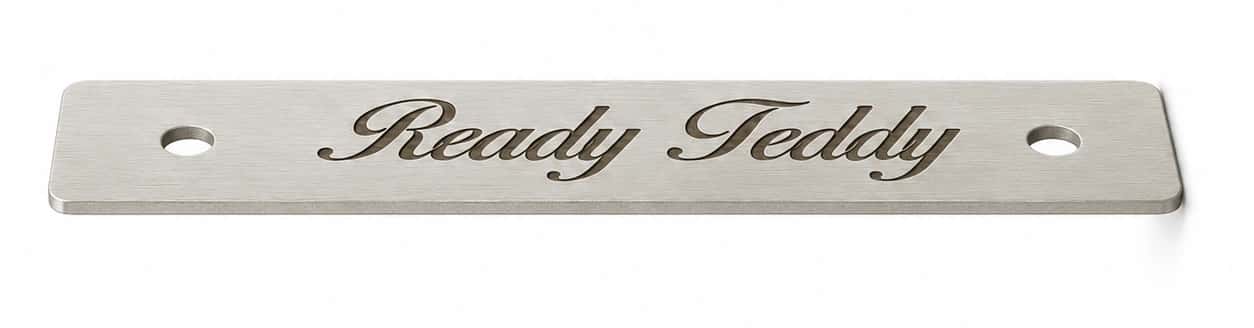
English script corresponds to Birds of Paradise, a script font with joined letters. It offers a more calligraphic appearance where the surface permits it. Compare your own name in the preview. A short example does not necessarily represent the appearance of a longer, compound name.
How do you add writing to leather with this service? Enter your text on a product page that actually offers leather engraving. Then choose from that product's available options. Direct engraving is not automatically available on every leather headcollar.
The configurator currently changes each group of letters to name-style capitalisation. For example, “MISTY” becomes “Misty” and “MARIE-LOU” becomes “Marie-Lou”. Read the displayed result, not just the text you originally entered. Contact the team before confirming if exact capitalisation is essential.
Nameplate or leather: how to compare contrast
On a metal plate, contrast primarily depends on the letters against the metal. Black leather does not automatically make a plate harder to read. Distinguish the engraved surface from the leather surrounding it. Lighting and reflections also affect its appearance.
| Configuration | What changes | Useful check |
|---|---|---|
| Plate on light leather: camel or havana | Visual combination of leather, metal and lettering | Compare the available finish and your text in the preview |
| Plate on dark leather: black or brown | Combination with the leather; reflections from the plate itself | Assess the letters against the metal, not against the leather |
| Direct engraving on light leather | Appearance depends on the leather and its finish | Request a real photograph of the same surface and colour |
| Direct engraving on dark leather | Appearance needs confirmation for the chosen surface | Request a real photograph; no measured comparison is available here |
Nameplate photographs cannot predict the contrast of lettering engraved directly into leather. For that surface, request an example of the same product, colour and finish. Compare photographs taken under similar lighting. A photograph of a metal nameplate cannot replace this example.
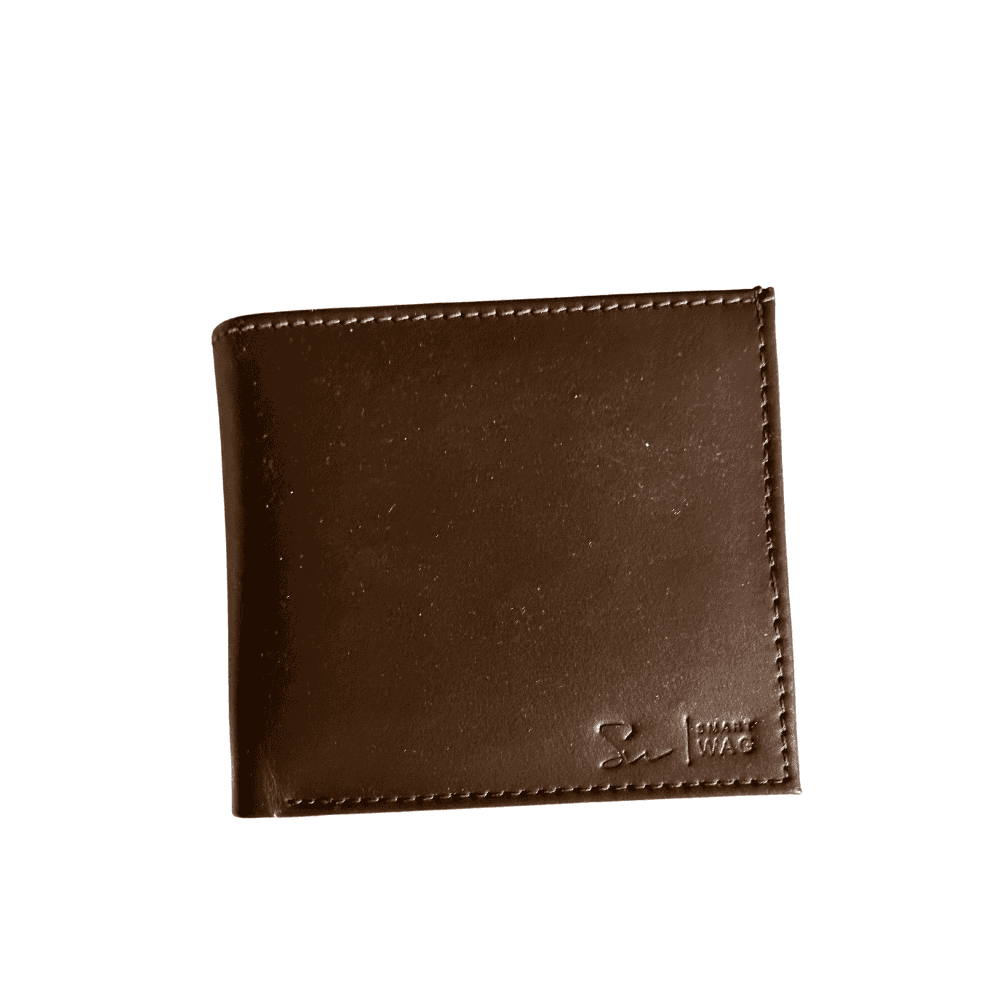
This wallet's configurator offers engraving directly on leather, with one line of 18 characters. The photograph below shows the leather and stitching. The brand logo does not establish the technique or contrast of a personalised inscription.
The term full-grain leather describes the material when a product page uses it. It does not independently guarantee how an inscription will look. Do not assume a product is full-grain unless its description says so. Its colour and finish also need consideration.
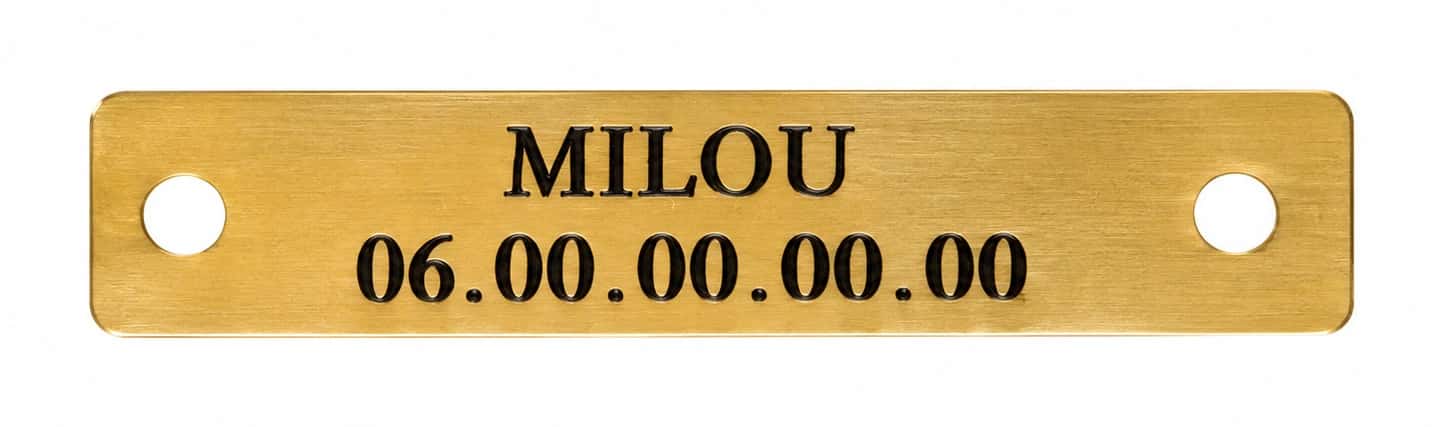
The three nameplate photographs were supplied by Smart Wag. They illustrate styles and finishes, not simulations of your order. They are neither before-and-after leather comparisons nor promises of an exact reproduction. Check your personalised text in your own configuration.
The real concern is a permanent mistake, not the price
An engraved mistake cannot be corrected like a form field. Do not rely on changes being possible after manufacture. Preparing your text carefully helps reduce this risk. For a personalised leather headcollar, start with the final version of the name.
- Read the name character by character, including accents and spaces.
- Check telephone digits in order rather than relying on memory.
- Check the selected product, surface, finish and font.
- Check every line and the capitalisation actually shown in the preview.
- Read the summary before paying and keep your confirmation.
The preview helps you check your text and options. It does not show a finished piece already made with your inscription. The photographs also show examples, not your future item. No systematic human spelling check is promised here.
For an unusual name, logo or special character, contact Smart Wag before confirming. Specify the model and copy your exact text. Explain your concern: an accent, the length, a symbol or its position. Wait for a reply if your order depends on it.
Noticed an error after ordering? Contact the team promptly with your order reference. Whether a change is possible depends on the actual preparation stage. A correction is not guaranteed once engraving has started. Sending a message does not confirm that a correction has been accepted.
Workshop preparation before dispatch and group orders
Workshop lead time covers preparation before dispatch, separate from transport to your address. It varies with the product, chosen engraving and preparation workload. No single turnaround time is therefore stated here. For a group order, also specify the quantity when requesting a schedule.
For a competition, trip or gift, contact Smart Wag before ordering. Provide the product, quantity, engraving text, destination and required date. Ask for confirmation covering both preparation and delivery. Stock availability does not guarantee arrival on a fixed date.
For pricing, check the product page and your order summary. Free engraving on an eligible piece does not make the item itself free. The options you actually select determine your order. This guide does not quote a fixed personalisation price.
Professional orders require at least 10 eligible items. The Soul PRO supports this type of project. Ask the team to confirm availability and scheduling for your quantity. Reaching the professional threshold does not promise faster dispatch.
For a group order, prepare a list matching each item to its size, colour and engraving text. Have every name checked before sending it. Mention variations and any logos in your first enquiry. This supports checking without assuming how the workshop's internal process works.
Follow a simple order: choose the equipment, check the surface, then confirm the text and deadline. Explore the Headcollars and Lead Ropes collection. One final check takes little time compared with dealing with a permanent mistake.